Case study 02 · Web platform · 2024–2025
Sphero Central
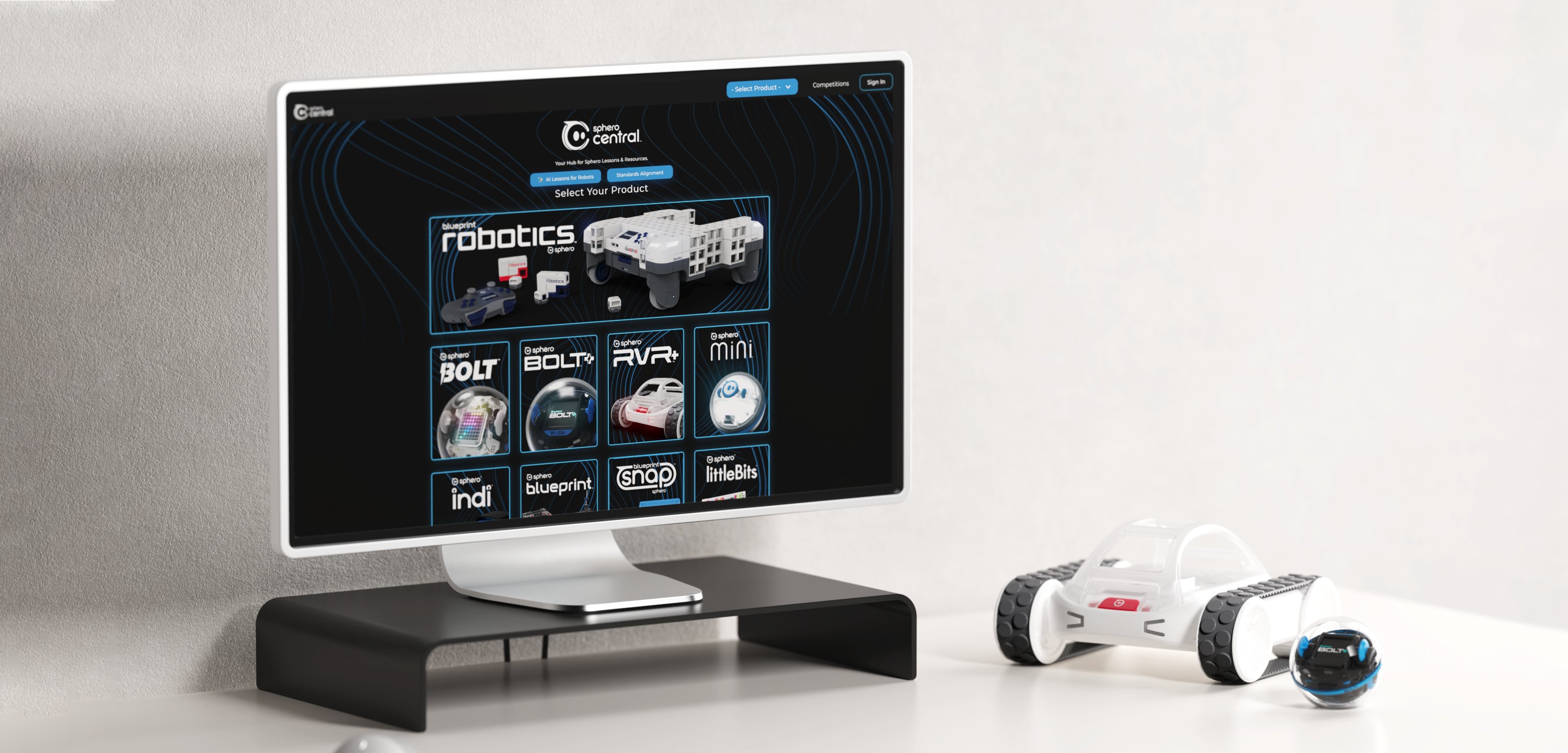
A one-stop destination for Sphero Edu app access, lessons, educator resources and more — designed so every teacher can find what they need for the robots they own.
- Role
- Lead UX/UI Designer
- Timeline
- 09/2024 – 06/2025
- Team
- PM, front-end engineering, content & marketing · Sole designer
- Scope
- User flows · Design system · 100+ page templates · Product renders · Design QA
01 — Overview
One front door for every Sphero classroom.
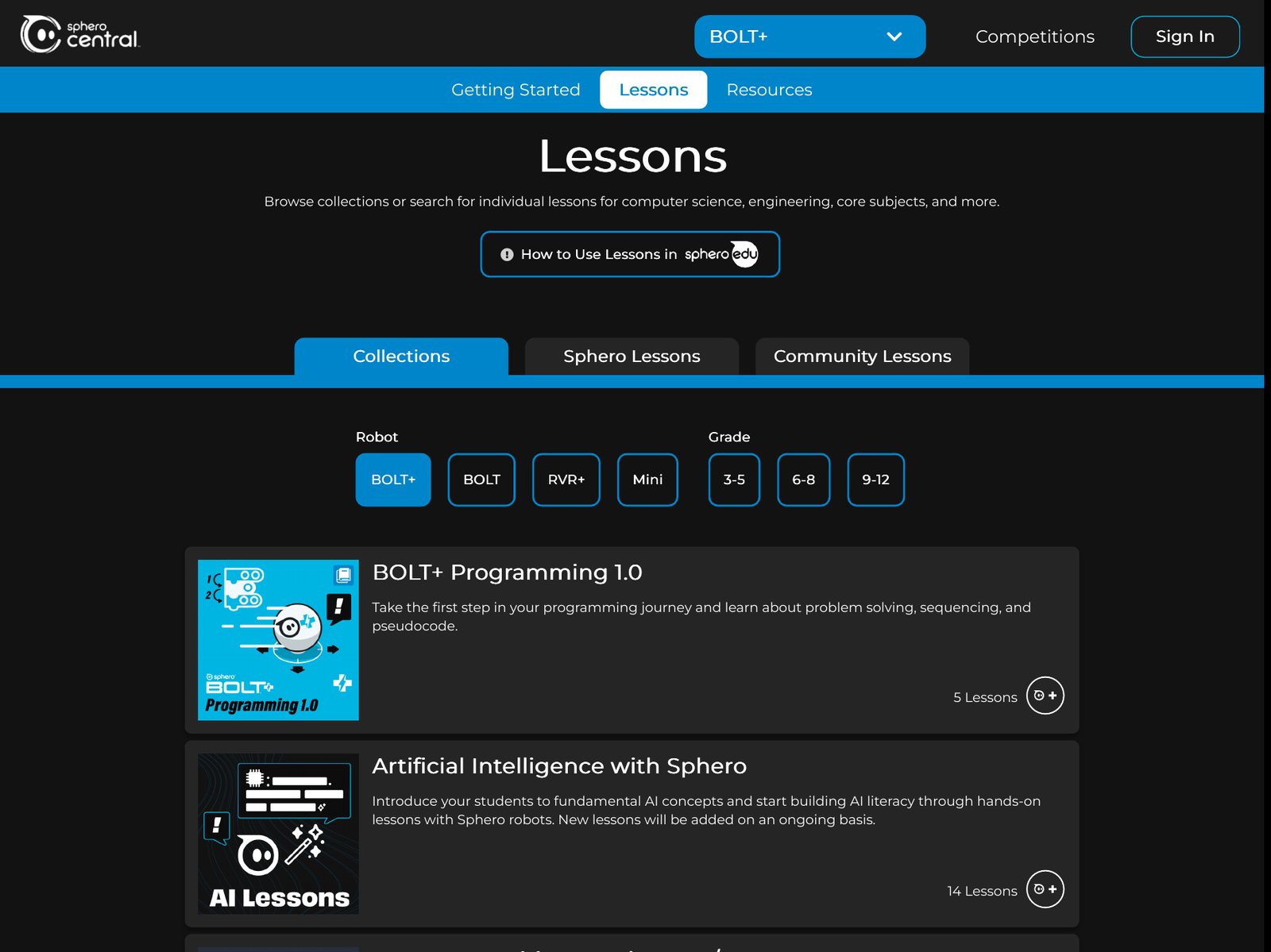
Sphero Central is where educators start: it brings together access to the Sphero Edu app, lessons and collections, and educator resources for every Sphero robot and kit. Teachers can browse lessons, start them with a lesson code, and assign them straight to students’ workbooks in Sphero Edu.
As the only designer, I worked with the PM, front-end engineers, and the content and marketing teams. I defined the user flows, built the design system and 100+ page templates, created most of the getting-started and resource thumbnails from product renders, and reviewed every page after it was built.
02 — The challenge
Great resources, locked behind a sign-in and scattered across products.
Before Sphero Central, every lesson and resource lived inside the Sphero Edu app, and its sign-in became a barrier just to look around. As Sphero grew, new products like Blueprint, littleBits and Sphero indi didn’t use the Sphero Edu app at all, so resources ended up scattered and hard for educators to find. We set out to build one central hub for every robot’s lessons and resources.
01
Start from the robot you own
Educators find the resources for their robot or kit quickly.
02
Open, no sign-in required
Lessons and resources for every product, whether or not it uses the Sphero Edu app.
03
Ship it as designed
A design system and prototypes clear enough for front-end to build from.
03 — Find by robot
Flows built around the robot in the classroom
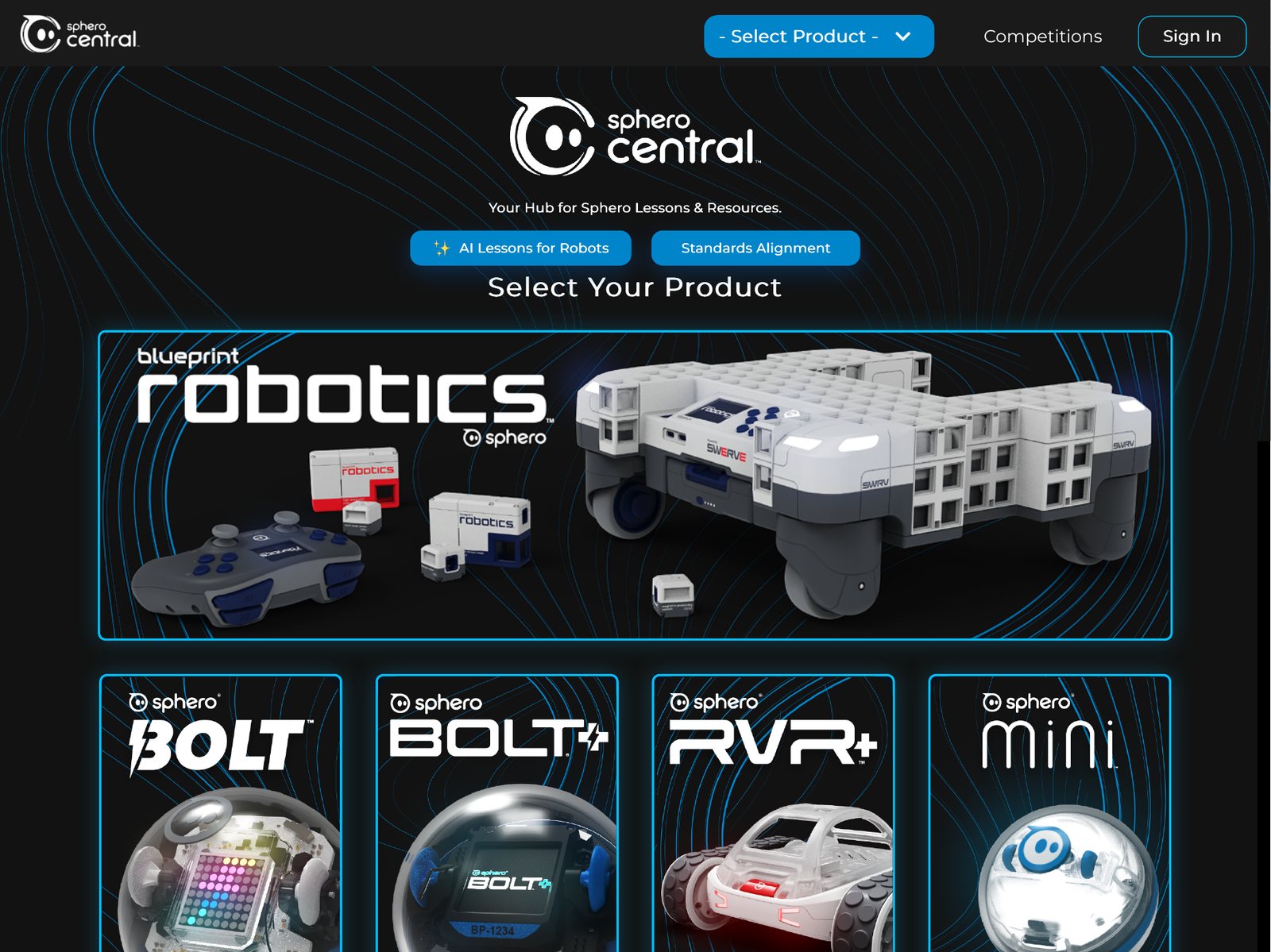
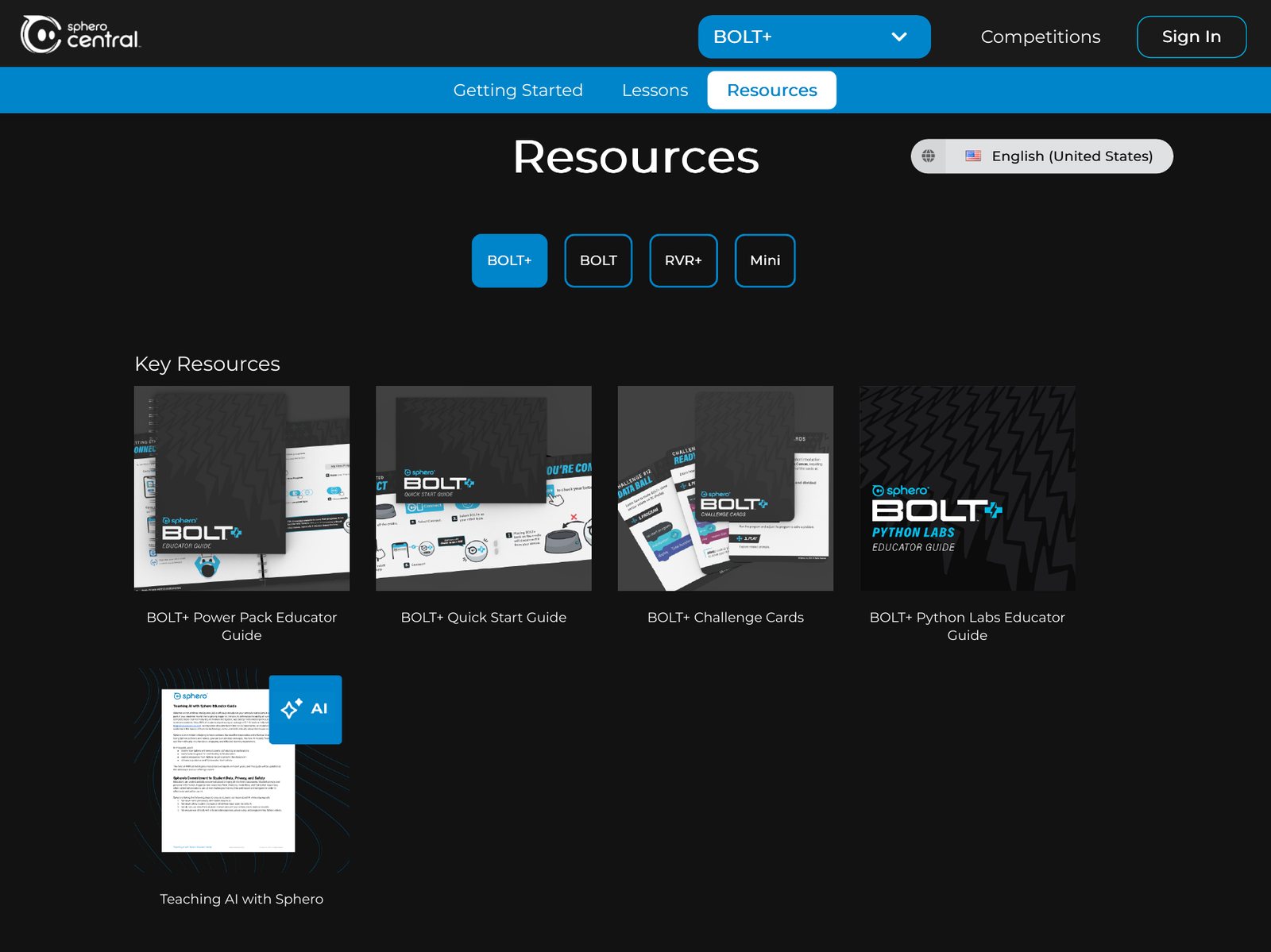
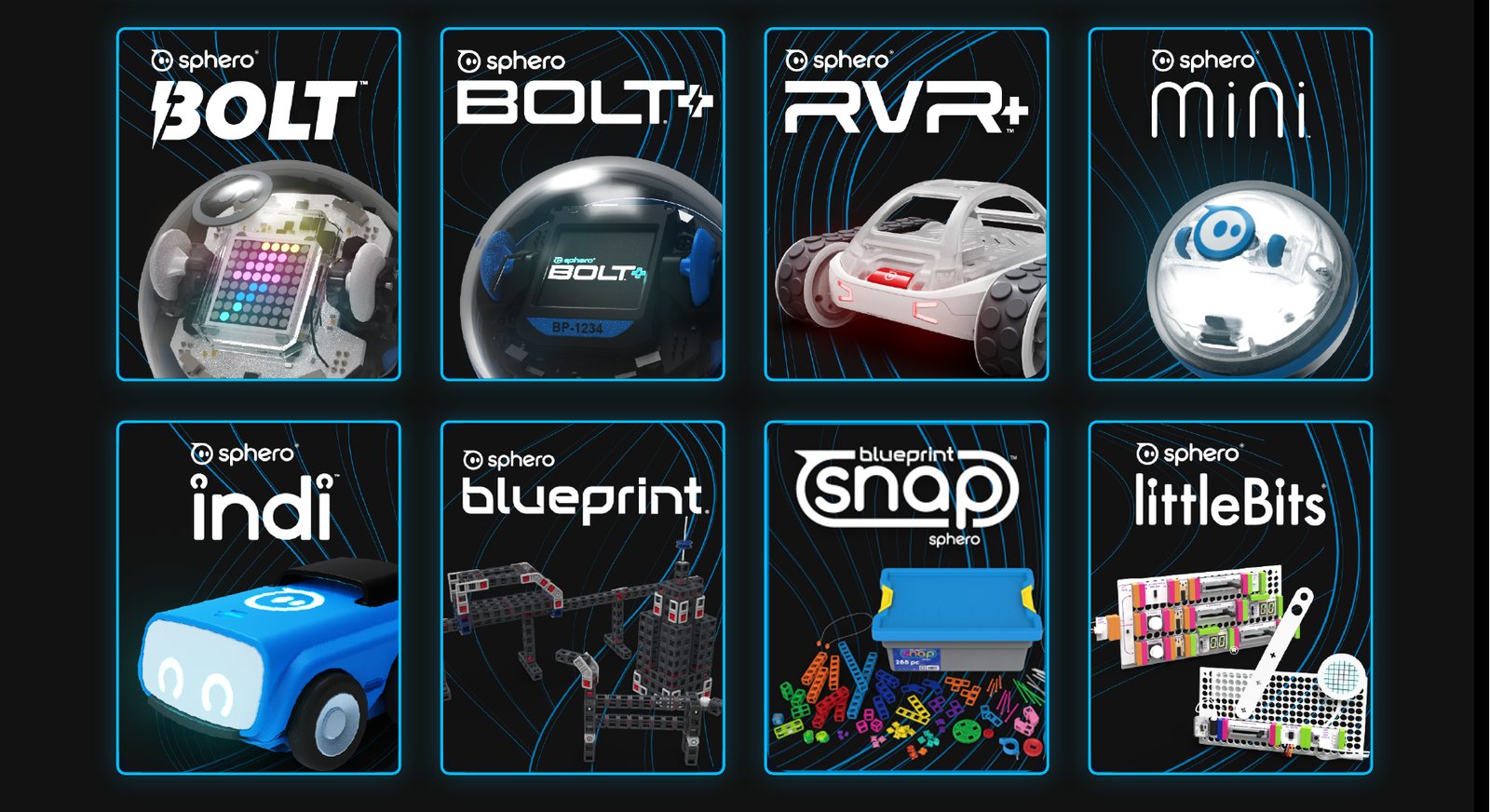
I designed the flows so educators can start from the robot they already own and land on its lessons, guides and resources in a few steps.
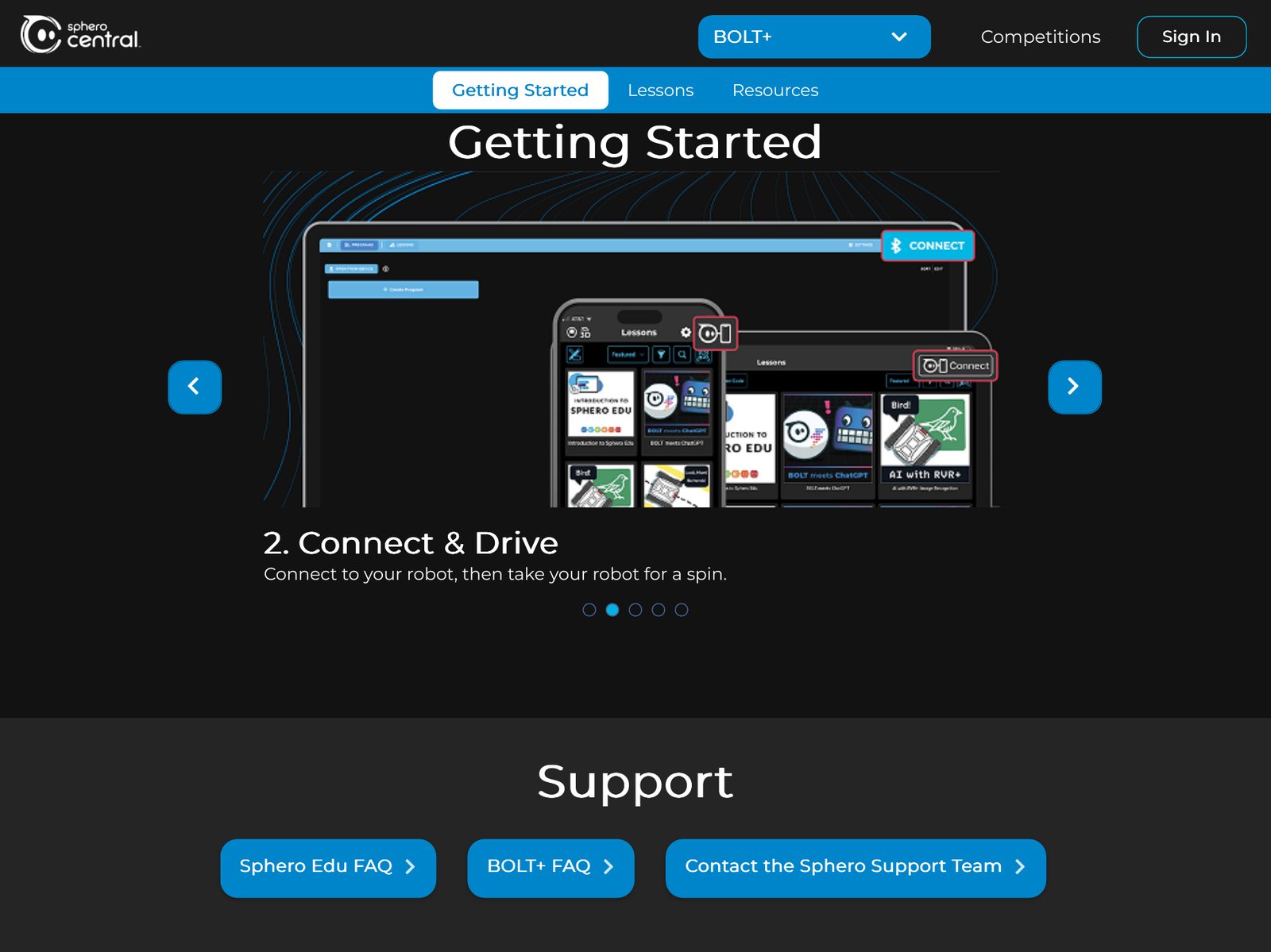
The home page shows every product up front, so teachers pick the robot they have. Each product hub opens with Getting Started — setup steps with links to the right apps — with Lessons and Resources one tab away.
04 — Design system & build
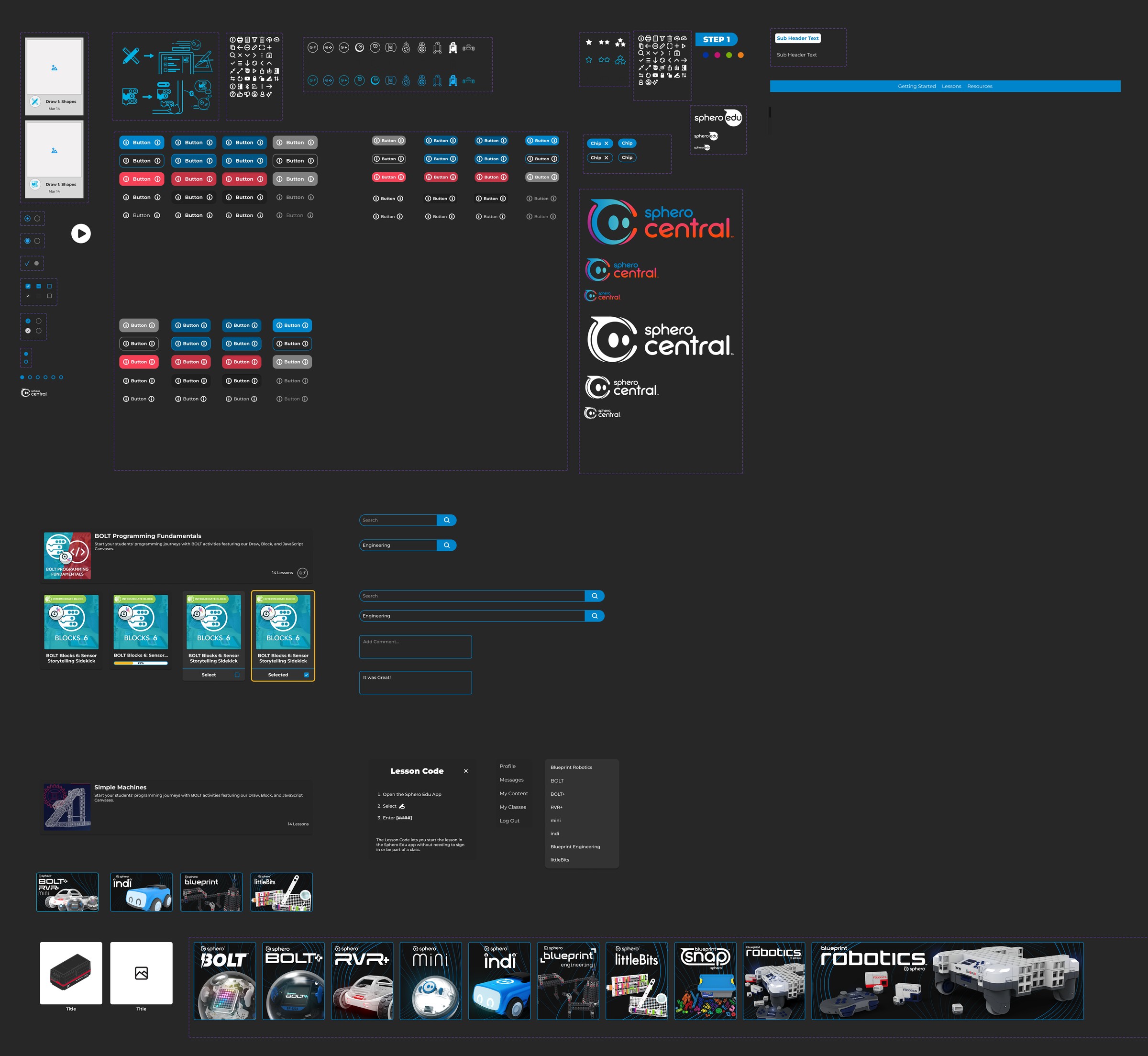
From prototype to a front end that matches
I built a design system of components, page templates and responsive rules, then used it to produce 100+ page templates across nine products. The same structure works for an app-based robot like BOLT+ and a hands-on kit like Blueprint.
I handed off Figma files with full specs to the front-end engineers, then reviewed each built page and gave feedback until it matched. I also created most of the getting-started and resource thumbnails from product renders.
05 — Outcome
Products
9
Robots and kits in one hub, with or without the Sphero Edu app.
Page templates
100+
Designed and specced by one designer.
Today
Live
Sphero Central is the home for Blueprint Robotics resources too.
What I learned
The best content doesn’t help if people can’t get to it. Moving lessons out from behind a sign-in taught me that access is a design decision, not just a technical one — sometimes the biggest UX win is removing a step.